
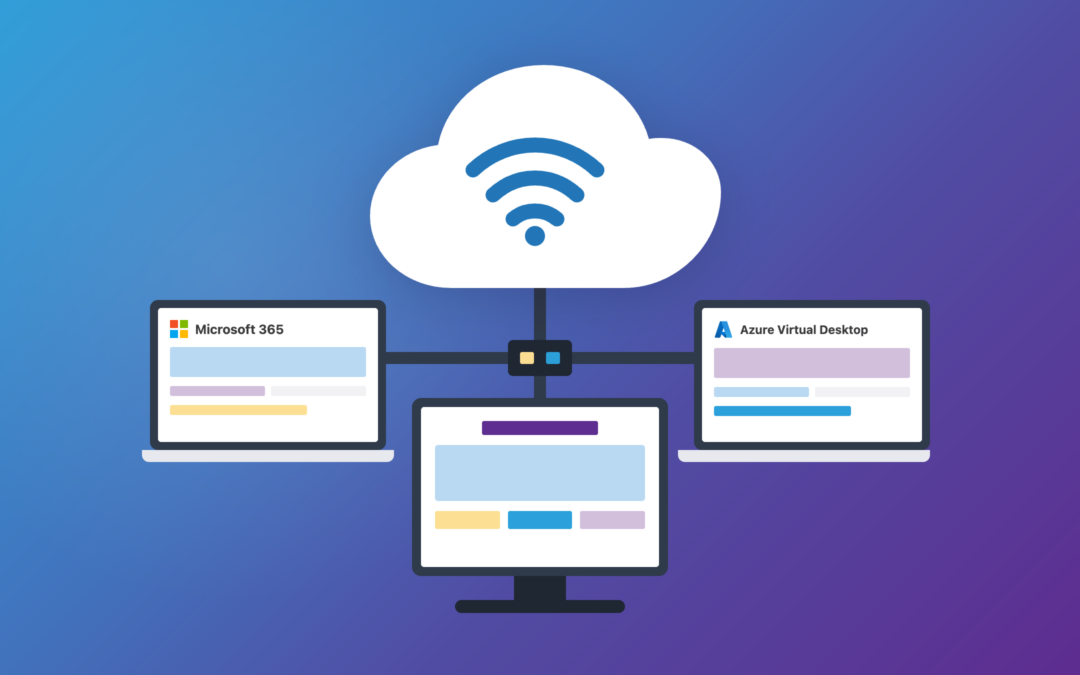
Windows 365 vs Azure Virtual Desktop Explained
Do you know the difference between a Cloud PC, a Cloud Virtual Desktop, and Windows 365?
These terms are often used interchangeably, which can make it difficult to understand what each solution actually does.
In this blog, we’ll break down the differences between Windows 365 and Azure Virtual Desktop, including the advantages, considerations, and scenarios where each solution may be the better fit.
What is a Cloud PC and Virtual Desktop Infrastructure (VDI)?
At a high level, the difference between a Cloud PC and a Virtual Desktop is actually fairly easy to understand.
- A Cloud PC provides a dedicated, personal desktop experience for an individual user.
- A Virtual Desktop can provide that same experience, but it is often designed to allow organizations greater flexibility in how desktops and resources are delivered, managed, and shared.
While both solutions allow employees to securely access a Windows desktop from virtually anywhere, they differ in how they’re deployed, managed, and optimized for business needs.
What is Azure Virtual Desktop (AVD)?
Azure Virtual Desktop (AVD) is Microsoft’s virtual desktop infrastructure (VDI) platform. Formerly known as Windows Virtual Desktop, AVD gives organizations the flexibility to deliver Windows desktops and applications from Microsoft Azure.
AVD is great for larger businesses that want economy of scale, or businesses that want to fully maintain and control their backend. This allows IT teams to design an environment that aligns with their specific operational and budget requirements.
Shared and Multi-Session Environments
One of the features that often sets Azure Virtual Desktop apart is its support for pooled desktops, sometimes referred to as pooled use. In this model, multiple users connect to a shared pool of Azure resources while maintaining their own individual desktop sessions.
Think of it as multiple employees using the same underlying infrastructure rather than each receiving their own dedicated virtual machine. This keeps server costs down as more employees utilize the service. If one employee requires a new program, all employees that connect to that server will receive it, even if it will never be utilized. This helps streamline administration but can reduce the level of customization available to individual users.
Because many Azure Virtual Desktop deployments are centrally managed, users typically have less control over their desktop experience than they would with a dedicated Cloud PC. If an application needs to be added or certain settings need to be changed, IT may need to make those updates at the environment level to ensure consistency across users.
AVD is great for businesses that prioritize scaling, need more control of their company desktops, and/or want to do multi-session.
Organizations with qualifying Microsoft 365 subscriptions, including Business Premium, E3, E5, and F3, may already have Azure Virtual Desktop access rights as part of their licensing.
Azure infrastructure and consumption costs still apply, and overall costs can vary depending on the size and complexity of the deployment.
Because every environment is different, Finchloom can help assess your requirements, estimate monthly costs, and recommend a solution that best fits your organization.
Customers only pay for the Azure costs to run the host, as opposed to paying for each user individually. Resources can be scaled up or down based on usage, allowing organizations to adjust performance and capacity as business needs change. All in all, AVD is a great choice for larger businesses with many employees in similar roles, whether it be data entry, or software engineers.
Cloud PC and Windows 365
Now, let’s talk about Windows 365, Microsoft’s Cloud PC solution.
A Cloud PC is a dedicated Windows desktop that runs in Microsoft’s cloud and can be accessed securely from virtually any device with an internet connection. Unlike traditional virtual desktop environments that may share resources between multiple users, each Windows 365 user receives their own personalized desktop complete with resources, applications, settings, and files.
Personal Cloud PCs and User Flexibility
One of the biggest advantages of Windows 365 is simplicity. Microsoft manages the underlying infrastructure, allowing organizations to provide employees with an assigned Windows desktop without the complexity of maintaining the backend environment.
Windows 365 is available in two editions:
- Windows 365 Business
- Windows 365 Enterprise
While both provide users with a dedicated experience, Windows 365 Business is designed for organizations looking for a simple, easy-to-manage deployment.
Windows 365 Enterprise offers additional management, security, and deployment capabilities, including deeper integration with Microsoft Intune and Microsoft Entra ID for organizations that require greater control and customization.
How Do Windows 365 and Azure Virtual Desktop Differ?
While both Windows 365 and Azure Virtual Desktop provide secure access to a Windows desktop from virtually anywhere, they take very different approaches.
Azure Virtual Desktop is built for organizations that want greater flexibility in how desktops and resources are deployed, managed, and scaled. IT teams can create pooled desktop environments, standardize applications and settings across users, and optimize costs by sharing resources between multiple users.
Windows 365 takes a different approach. Instead of connecting users to a shared environment, each employee receives their own dedicated Cloud PC. These users have admin rights on their computer, which simplifies management of the underlying infrastructure.
Each employee using a Windows 365 Cloud PC can manage their own desktop as they are admins. They can install and remove apps, change settings, and if they so choose, even the background on their Cloud PC. Employees ‘own’ this PC, but can also receive pushed updates, and can be managed from the cloud.
Where AVD has rigidity, Windows 365 has flexibility.
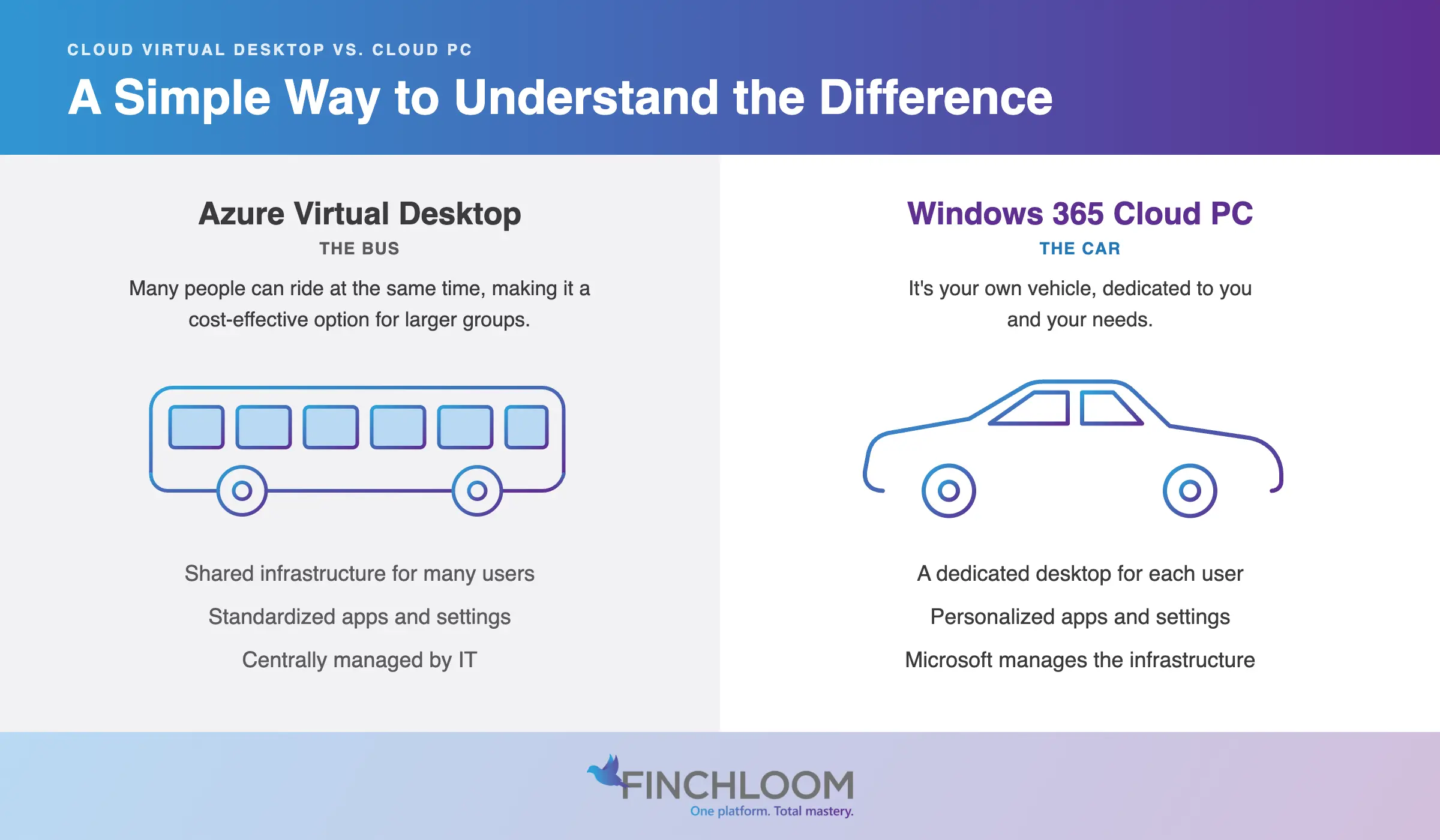
A Simple Way to Think About the Difference
A great comparison of Cloud PCs to Cloud Virtual Desktops is to think of a bus versus a single passenger car.
In this situation, a virtual desktop is the bus, it can carry many people, but all are on the same bus, with the same driver, same air conditioning, and same seats.
Windows 365 is a car. It will similarly get you where you need to go, but if you want to change the temperature, add an air freshener, or paint your car a whole new color, you are free to do so. Customization is the key to Cloud PCs, and not having to maintain the backend is a huge bonus.
Common Azure Virtual Desktop Use Cases
Azure Virtual Desktop is often a strong fit for organizations that need centralized management, standardized environments, and the ability to optimize costs across large groups of users. Common use cases include call centers, task-based workers, seasonal staffing, healthcare environments, and organizations with strict compliance or security requirements.
Imagine an accounting firm with a large seasonal workforce during tax season. Rather than provisioning a dedicated Cloud PC for every temporary employee, the firm can use AVD pooled desktops to quickly provide secure access to the applications and data employees need. As staffing levels increase or decrease, resources can be scaled accordingly, helping the organization balance performance, security, and cost.
Common Windows 365 Use Cases
Windows 365 is often a strong fit for organizations supporting remote work, hybrid work, or bring-your-own-device (BYOD) programs.
New hires are a perfect example. If a business hires a new offsite employee, it will take a couple days for their equipment to be delivered. With Windows 365, the employee can login from any computer and begin working with a device that they already own.
Here’s another example. Let’s say that a sales employee has a desktop in office but travels a lot and needs access to the files that are on the office computer. Traditionally, this employee would need a secondary device and then need to VPN back into their office every time they need their computer. Windows 365 can allow this employee to login to their cloud PC while in the office, and additionally while traveling, from a hotel computer, or even another business. This process is also very secure as all apps stay within your Cloud PC.
Cloud PC vs VDI: Which Is Right for Your Business?
Both Azure Virtual Desktop and Windows 365 offer powerful ways to deliver secure desktop experiences from the cloud, but the right choice depends on how your organization works. Whether you’re looking to optimize costs, simplify management, support remote employees, or improve security, Finchloom can walk you through the specifics of each type of configuration and make a recommendation catered to your business needs.
Finchloom has been helping organizations adopt and optimize Microsoft cloud technologies for years. From virtual desktops and Cloud PCs to Microsoft 365, Azure, security, and modern workplace solutions, we evaluate options, avoid costly missteps, and build technology strategies that support long-term growth.
If you’re considering a broader cloud modernization initiative, our team can help you determine the right path forward. Contact Finchloom to learn more.